
Getting started with Mendeley Reference Manager and Mendeley Cite
Import references, verify metadata, organize a library and insert Word citations with Mendeley.
Start readingManage references from metadata to manuscript
- Library
Import and organise references
- Metadata
Verify authors, year and DOI
- Citations
Insert citations with the writing tool
- Cross-check
Check the list and reference style
Conceptual diagram. A reference manager does not verify that a source supports a claim.
Source: Lê Minh · Conceptual illustration, not software output.Mendeley helps organize references and create citations, but a reliable bibliography still depends on checking the underlying records. A library containing hundreds of PDFs is not automatically correct about authors, dates or DOIs.
Distinguish the tools
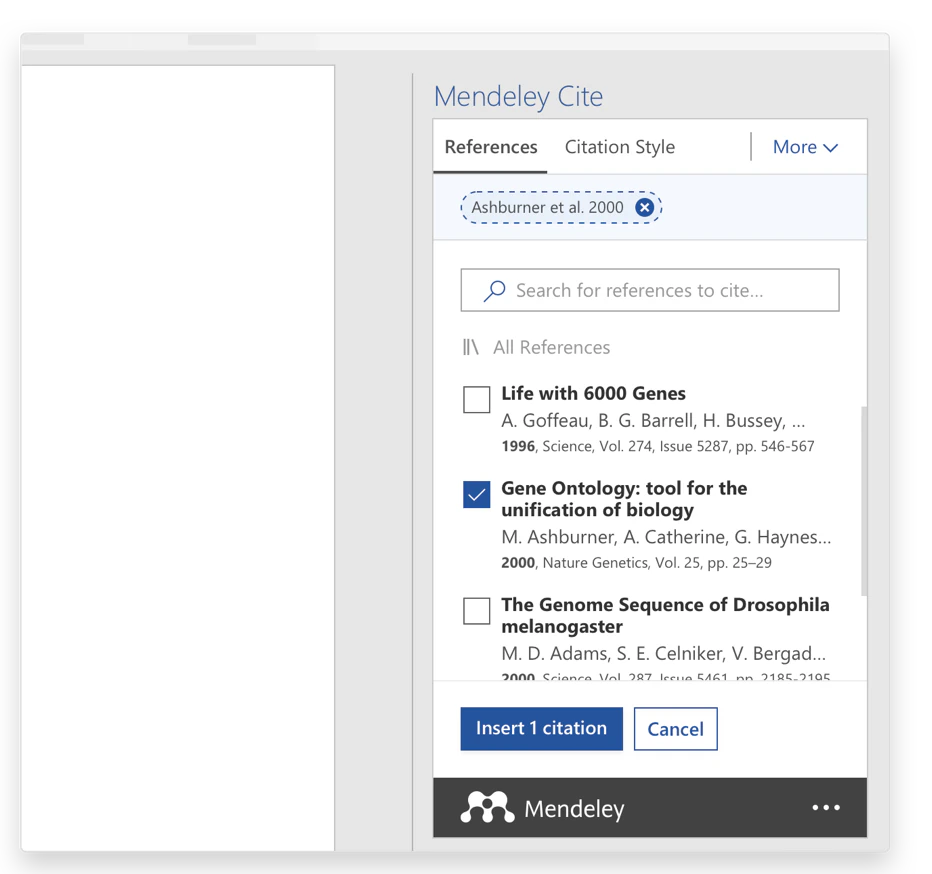
Mendeley Reference Manager manages your library. Mendeley Cite is the Word add-in for inserting citations, building a bibliography and changing styles. Elsevier explains that Cite uses the synchronized cloud library. Instructions for Mendeley Desktop and its older citation plugin may use different menus.
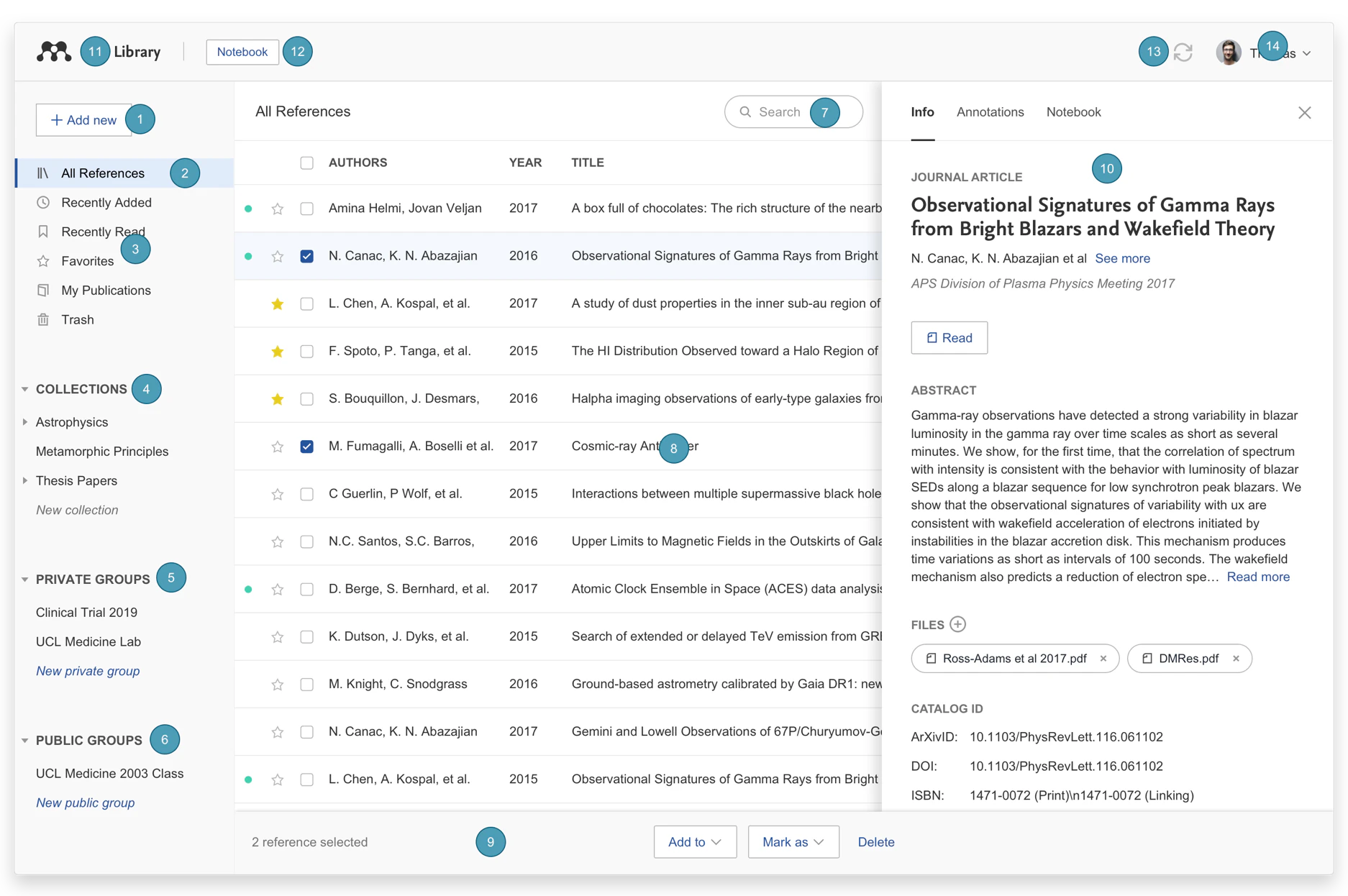
Import references
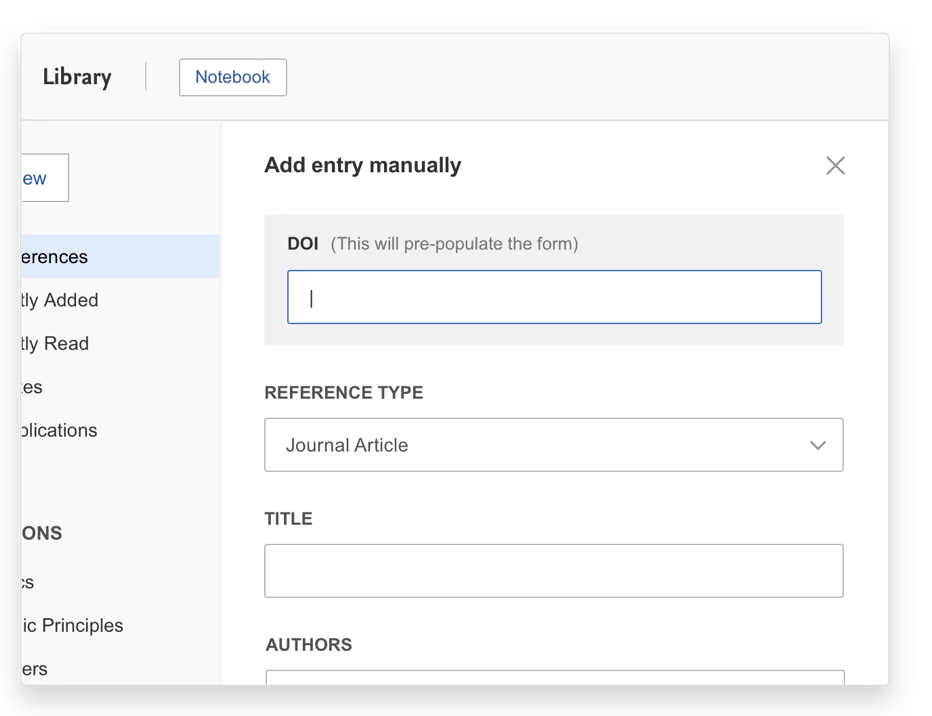
The official import guide describes dragging in PDFs, importing citation files such as RIS or BibTeX, and creating entries manually. Choose a method appropriate to the source. Database citation exports preserve structured fields; PDF extraction needs careful verification.
After importing, compare authors, year, title, journal, volume, issue, pages and DOI against the publisher record. Check edition and publisher for books. A PDF filename is not an authoritative title. Correct a DOI that resolves to a different work before citing it.
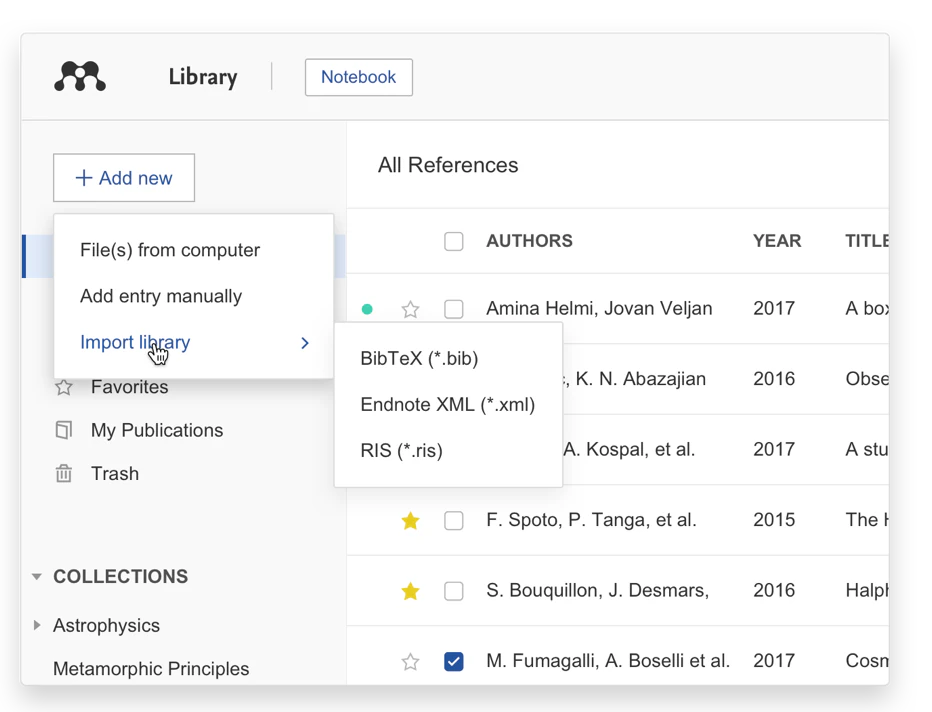
A small Word workflow
- Add one legitimate reference to Reference Manager and check its main fields.
- Synchronize, open Mendeley Cite in Word and sign in to the correct account.
- Place the cursor at the statement requiring support, select the reference and insert it with Cite. Add a page locator for direct quotations as required by the citation style.
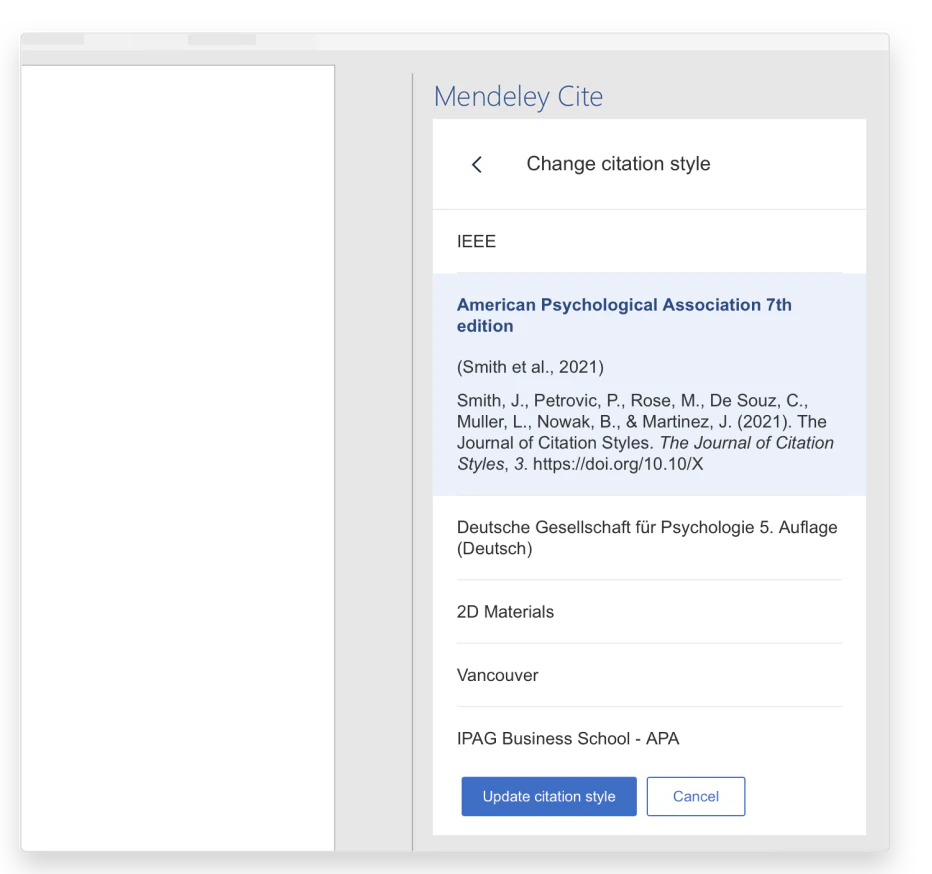
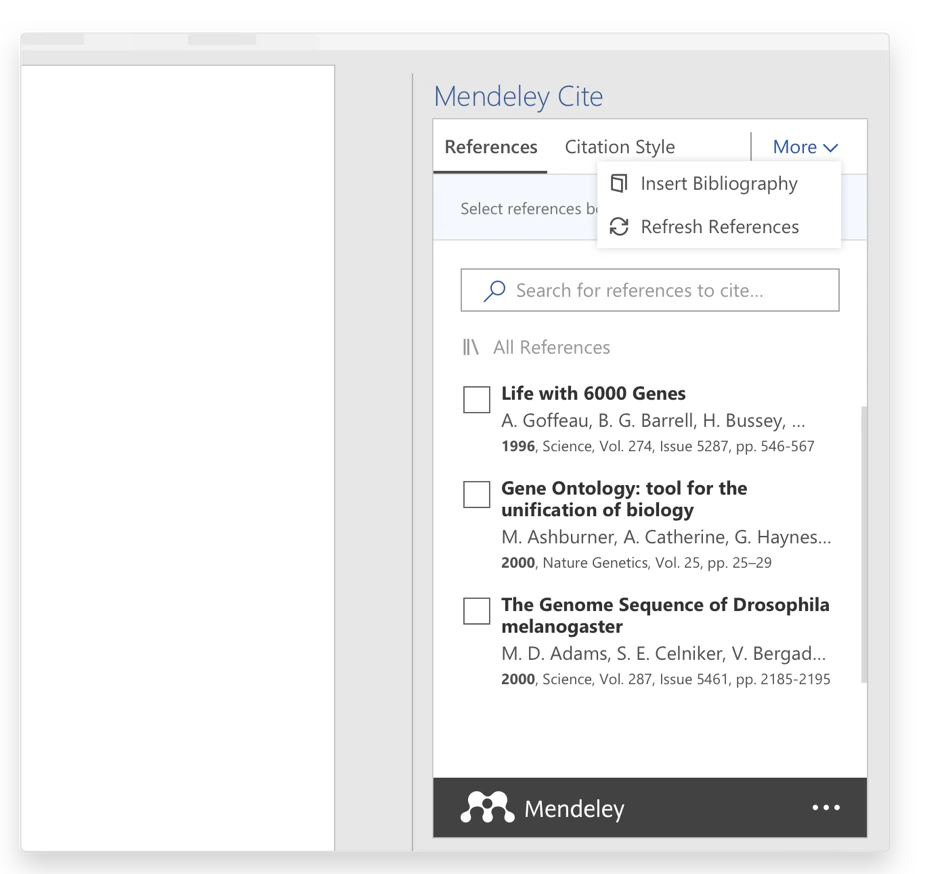
- Select the required style and use Insert Bibliography to generate the reference list. Elsevier’s instructions describe this action.
- Test a record correction, update the document and inspect both the citation and reference entry. Save a backup before making bulk changes.
Organize for verification
Group readings by project, record what has been read and note pages containing important arguments. These are suggested working practices, not promises that every version performs them automatically. Labels should help you retrieve evidence, such as an original measurement scale or sampling design.
Before submission, check both directions: every citation must have a reference entry and every entry must be used appropriately. Selecting APA does not correct mistyped names, wrong capitalization or unread sources. Consult the Mendeley guides for current account, storage and sharing conditions before adopting the workflow for a team.