
Installing AMOS Plugins: Checking Sources, Versions, and Reversibility
Plugins run within the analysis environment and may read research files. Check their source, compatibility, and uninstallability before installation.
Use plugins only from their authors or trusted repositories; record AMOS/.NET versions and checksums if available; test on copied projects; do not grant permissions or disable antivirus based on instructions of unknown origin (IBM, n.d.).
Install software from verifiable sources
- Official source
Verify the developer
- License
Choose an appropriate license
- Compatibility
Check operating system and version
- Verification
Open sample data and record the environment
Conceptual diagram. A downloadable file does not establish a right to use the software.
Source: Lê Minh · Conceptual illustration, not software output.1. Preinstallation Checklist
Use a simulated project or de-identified copy to verify that the plugin works without altering files.
- The author and release page are identifiable.
- Functionality and supported versions are documented.
- The file has been security-scanned.
- Uninstallation instructions are available.
- The project is backed up.
- No cracking or security disabling is required.
2. Compatibility Information to Record
| Item | Example information |
|---|---|
| AMOS | version and build |
| Windows | version, 64-bit |
| Runtime | .NET/Visual C++ if required by the plugin |
| Plugin | name, version, URL, download date |
| Test | sample file, expected result |
3. Installation and Verification Workflow
Read the author’s documentation
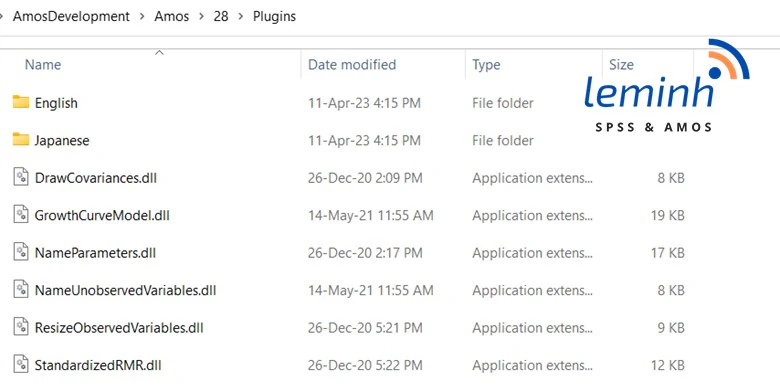
Identify the correct directory, permissions, and dependencies; do not extrapolate from other versions.
Back up
Close AMOS and back up projects and relevant configuration.
Install minimally
Add only necessary files from trusted sources.
Launch and test
Open a sample project, run one function, and compare the output with expectations.
Keep a log
Save the version, source, installation date, and rollback method.
4. If a Plugin Does Not Appear or Causes Errors
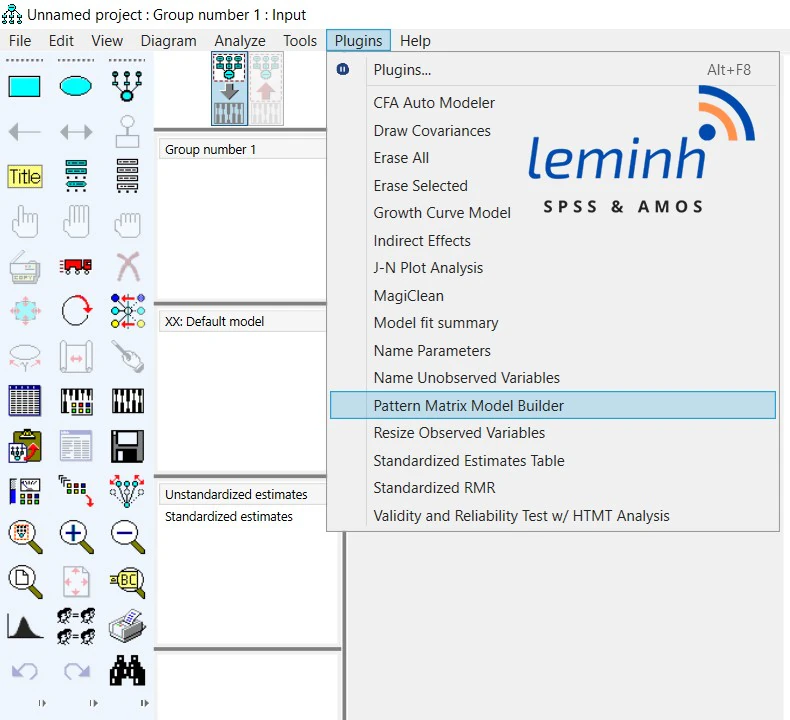
Check the AMOS version, system architecture, directory read permissions, and runtime against official documentation. Do not download random replacement DLLs or overwrite program files without verified instructions.
If errors persist, uninstall as instructed, restore the backup, and send logs without sensitive data to the author or technical support.
Conclusion
Plugins are useful when managed as project dependencies with sources, versions, tests, and rollback plans. They should not be treated as incidental files to copy from anywhere.
References
- IBM. (n.d.). SPSS Amos documentation.https://www.ibm.com/support/pages/ibm-spss-amos-documentation
Academic note: Menu names and directories may change between versions; always prioritize the plugin’s and IBM’s guidance for the correct version.